
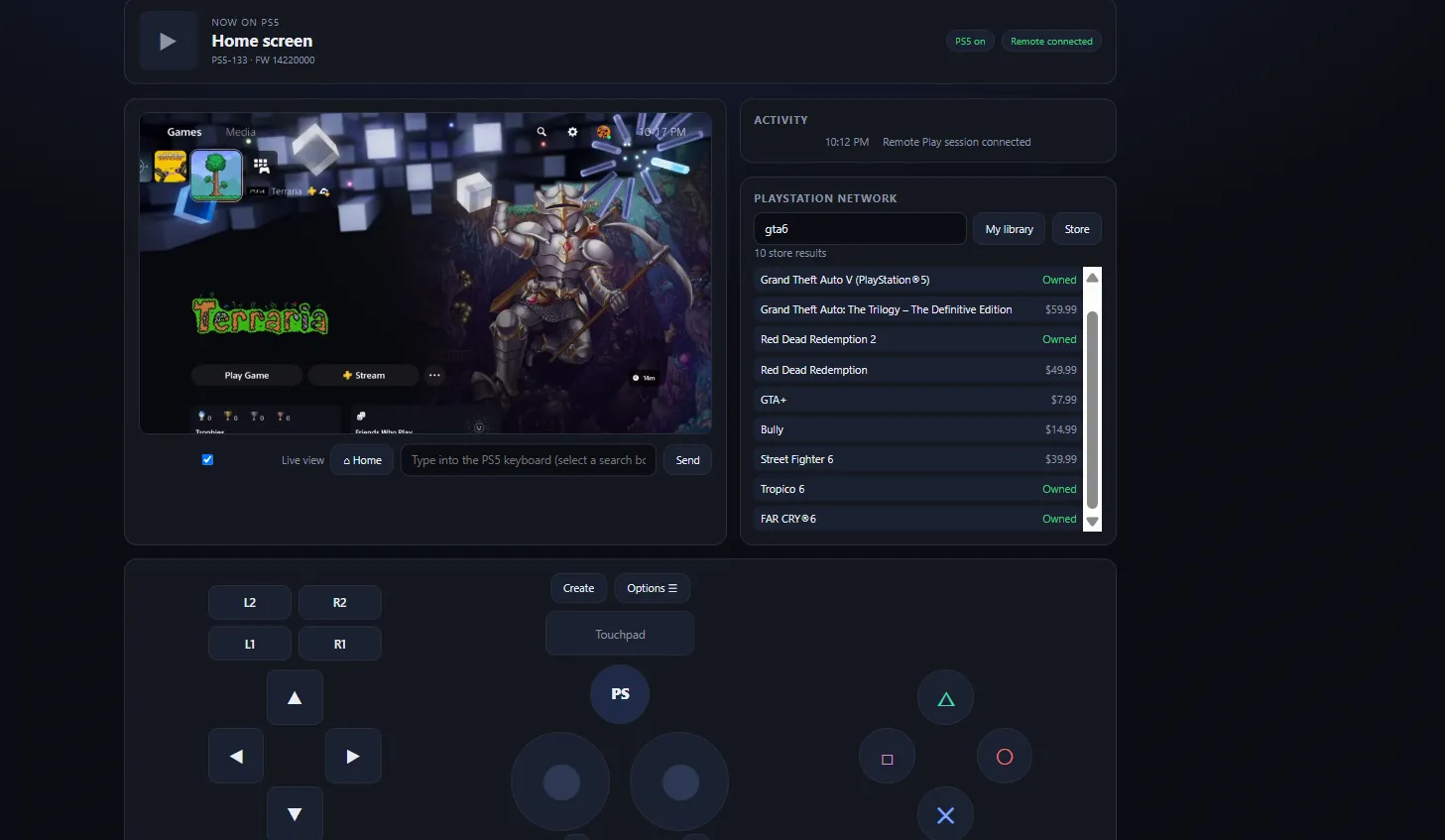
PS5 Agent Remote is a small server that runs on a Windows PC and talks to a PlayStation 5 over Sony’s Remote Play protocol on your home network. It gives you a remote in the browser, with every button, both sticks, a live view of the screen and typing into the PS5 keyboard. It gives AI agents the same controls through MCP.
What an agent can do
- See the screen and read what is on it.
- Press buttons, hold triggers and move both sticks with real timing.
ps5_playruns the moves on the server clock and returns frames captured during the move. - Type into the PS5 keyboard, go Home, and turn the console on or off.
- Search your game library and the PlayStation Store, with prices and whether you already own a game.
Ask it “is Hades on sale?” or “start downloading Astro Bot from my library” and keep working.
What happened when it played a game
The first game test was Terraria. The agent worked out the controls on its own by pressing buttons and reading the frames. It mined through a wall and killed a zombie. Then it died five times at night, because the game keeps running while the agent thinks. Menus, the store and slow games work. Fast combat needs a faster loop.
How it works
The server owns one Remote Play session, and the browser page and the agent share it. The Remote Play engine is chiaki-ng’s protocol library compiled into a small native bridge, so it keeps up with PS5 firmware changes. Video is decoded with PyAV. Everything stays on your computer and your home network. The server listens on 127.0.0.1 only, and the only internet calls are PSN lookups to Sony.
Limits
- Windows only for now. The native library is built only for Windows.
- Video apps such as YouTube and Netflix send Remote Play a black picture on purpose. Buttons still work.
- One Remote Play session at a time, and no consoles with a login passcode yet.
- Agents are told never to complete a purchase without asking. For a hard stop, turn on the PS5’s password at checkout.
The server, web remote and agent tools are MIT. The native Remote Play engine is AGPL, because chiaki-ng is. Not affiliated with or endorsed by Sony Interactive Entertainment.